10 best Stylus alternatives for restyling websites (2026)
Stylus is the best-known way to change how websites look, but it expects you to write or install CSS. Here are ten alternatives, what each is best at, and where Back to the 90s is different.
Every tool on this page changes the look of websites in your own browser. None of them change the site for anyone else. They differ in how you make the change: writing CSS, picking elements, adjusting a color filter, or choosing a whole look. User counts are as shown on the Chrome Web Store and Firefox Add-ons in November 2026 and change often.
Quick comparison
| Tool | Best for | Need to code? | Price | Browsers |
|---|---|---|---|---|
| Stylus | Installing and writing CSS user styles | To write your own, yes | Free, open source | Chrome, Firefox, Edge, Opera |
| Stylish | One-click community themes | No for themes, yes to write | Free with paid extras | Chrome, Firefox |
| Stylebot | Clicking an element and changing it | No | Free, open source | Chrome, Firefox |
| Dark Reader | Dark mode on every site | No | Free, open source | Chrome, Firefox, Edge, Safari |
| Midnight Lizard | Custom color schemes on every site | No | Free, open source | Chrome, Firefox, Edge |
| Night Eye | Dark mode that keeps images natural | No | Free tier, paid plans | Chrome, Firefox, Edge, Safari |
| FireMonkey | User styles and scripts in one Firefox add-on | Yes | Free, open source | Firefox |
| Tampermonkey | JavaScript user scripts | Yes | Free | Chrome, Firefox, Edge, Safari |
| xStyle / Amino | Lightweight CSS managers and live editors | Yes | Free | Varies by tool |
| Back to the 90s | Turning a whole page into a 90s or Y2K experience | No | Free, optional Pro | Chrome (Firefox coming soon) |
Stylus: the standard for user styles
Stylus is a free, open-source user style manager. It began in 2017 as a fork of Stylish for Chrome, with the goal of removing analytics and returning to a simpler interface. It has more than a million users on Chrome and well over 100,000 on Firefox.
You install a “user style” for a site, or write your own CSS in its editor, and Stylus applies it every time you visit. Styles can include settings you change from the popup, and Stylus can update installed styles automatically.
Choose it if you are comfortable with CSS, want a precise change on one site, or want to use the large catalog of community styles. Skip it if you do not want to read or write code: the extension is a manager, and the look depends on the style you find or write.
Stylish: where user styles started
Read the full Stylish vs Stylus comparison. Stylish was first released in 2005 and popularized the idea of themes for websites. It now offers one-click styles, including dark modes and aesthetic themes, and has around two million Chrome users. In 2018 it was removed from the Chrome and Firefox stores after researchers reported that it recorded users’ browsing history; it later returned. Stylus exists largely because of that history, so read Stylish’s current privacy policy before installing.
Choose it if you want a ready-made theme for a popular site. Skip it if privacy is your priority and you would rather use an open-source manager.
Stylebot: point, click and change
Stylebot lets you click part of a page and change its font, color, spacing or visibility from a panel, with a code editor when you need it. It also has a readability mode that hides sidebars and other clutter. It is free, MIT-licensed and has around 200,000 Chrome users. See Stylebot vs Stylus, or our guide to customizing websites with CSS, DevTools and Stylebot walks through it step by step.
Choose it if you want to fix a few specific things on a site without learning CSS. Skip it if you want a complete new look rather than individual tweaks.
Dark Reader: dark mode for everything
Dark Reader is the most installed extension on this list, with about seven million Chrome users. It creates dark themes for websites as they load, with controls for brightness, contrast, a sepia filter and fonts. It is open source under the MIT license and is also available for Firefox, Edge and Safari.
More options are in our Dark Reader alternatives guide. Choose it if you mainly want comfortable reading at night. Skip it if you want anything other than a dark or tinted version of the existing design.
Midnight Lizard: color schemes for every site
Midnight Lizard applies color schemes to all websites: dark, light, grayscale or colorful. You can adjust brightness, saturation, contrast and hues, and set background, text, button, link, border and scrollbar colors per site. It is open source and has around 40,000 Chrome users, though its Firefox version has not been updated since January 2021.
Choose it if you want far more color control than a simple dark mode. Skip it if you want to change layout, images or anything beyond color.
Night Eye: dark mode that keeps images natural
Night Eye converts website colors to a dark scheme while trying to leave photos, video and layout intact. It has a limited free tier and paid plans. It is a dark-mode tool rather than a general styler, so it competes with Dark Reader more than with Stylus.
FireMonkey and Tampermonkey: for scripts as well as styles
FireMonkey is a lightweight Firefox add-on that manages both user styles and user scripts through Firefox’s official APIs. It is open source under the Mozilla Public License and has a small, loyal following of around 1,800 users.
Tampermonkey is a user-script manager. It runs JavaScript that you install or write, which can also add CSS to a page. Both are powerful, but both assume you are comfortable with code and with the trust that installing other people’s scripts requires.
xStyle and Amino: lightweight CSS editors
xStyle is another manager derived from the original Stylish for Chrome, similar in purpose to Stylus. Amino is a live CSS editor: you write styles for a page and see the result as you type. Both are good for quick experiments if you already know CSS.
Back to the 90s: a whole new experience on the page
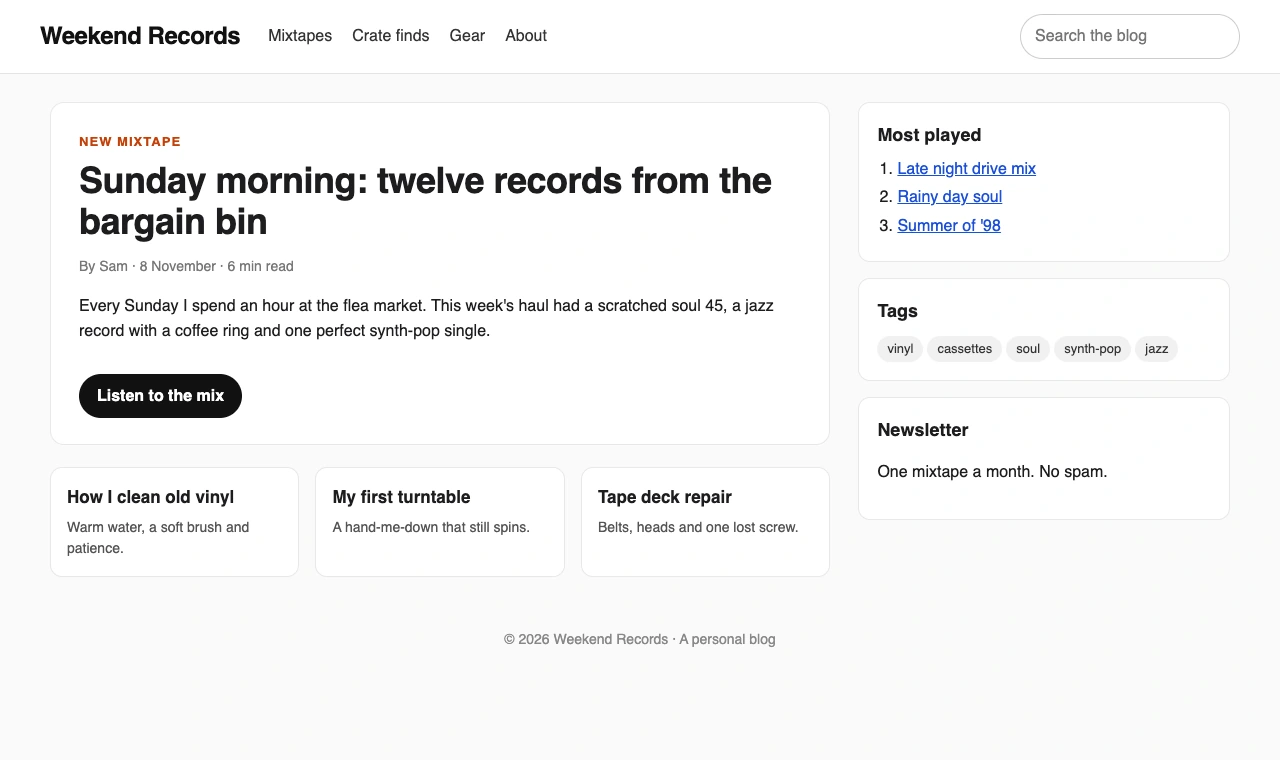
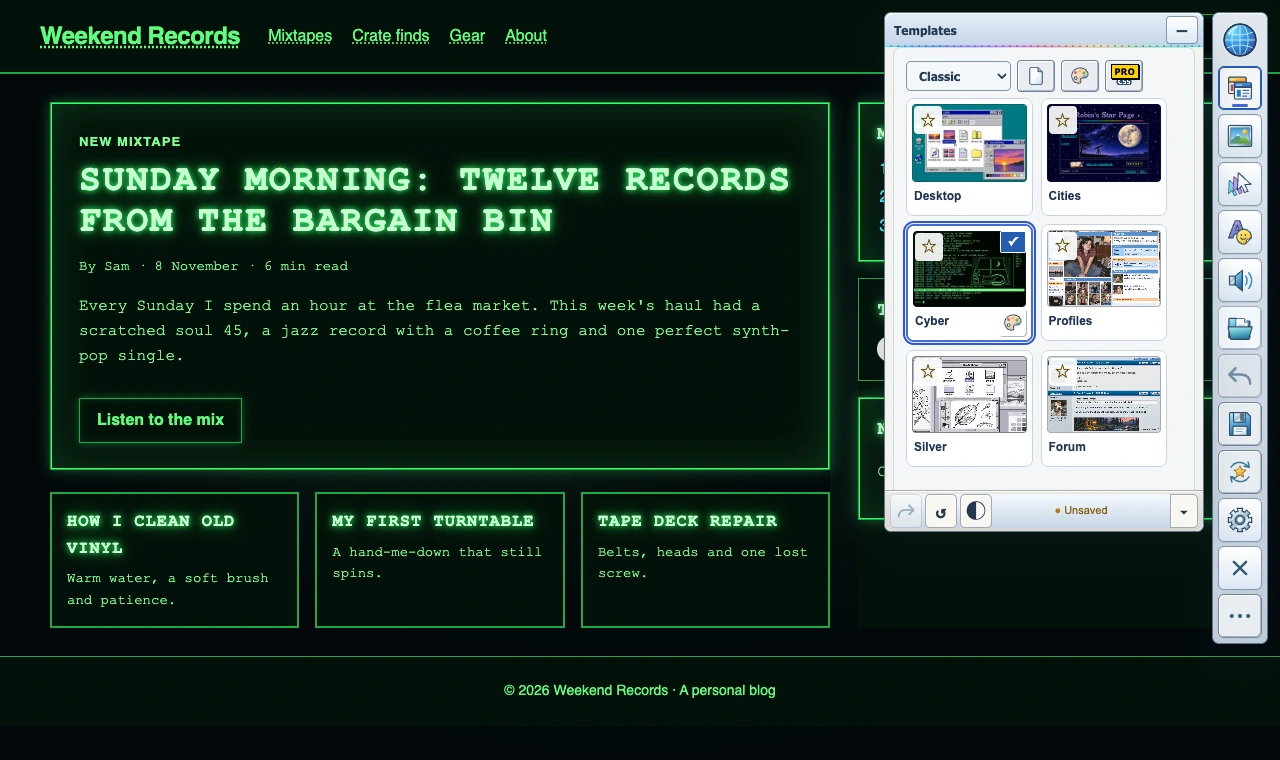
Every tool above changes how a page is styled. Back to the 90s changes what it feels like to use. You choose a look, such as Cities, Desktop, Cyber, Profiles, Silver or Forum, and the page you are on turns into it. Then you add things to the actual page: GIFs and artwork you can place and resize, backgrounds, your own text, custom cursors, mouse trails, click bursts and click sounds. It is made for fun, for nostalgia and for streamers who want their screen to stand out, not for fixing one font.
- No code. Everything happens with buttons and sliders. Pro adds page CSS if you want it.
- Effects, not just colors. Cursors, trails, click effects and sound are part of the design.
- Save and share. Save designs for up to five sites free, or unlimited sites with Pro, and share a design with a friend as a .90s file.
- Free to start. Six looks are free. Pro adds the Y2K looks Grunge, Pop / Memphis and Rave, your own music and media, and automatic styling on every visit. See Free vs Pro.
Back to the 90s vs Stylus
| Stylus | Back to the 90s | |
|---|---|---|
| What you change | The page’s CSS | The whole page experience: look, art, cursor, sound |
| How you change it | Install or write user styles | Pick a look, then add and move things |
| Coding needed | To make your own styles | No |
| Works on | Sites that have a style, or any site you write one for | Supported websites in general, not one site at a time |
| Cursors, trails, sounds, music | No | Yes |
| Sharing | Publish a user style | Send a .90s design file |
| Price | Free, open source | Free, with optional Pro |
They are not really rivals. If you need a precise, permanent fix to a site you use every day, Stylus is the better tool. If you want the web to look and feel like 1999 or 2003, with your own art and effects, Back to the 90s does what no user style can. Many people will happily run both.
Which one should you choose?
- You write CSS: Stylus, or FireMonkey on Firefox.
- You want to fix a few things without code: Stylebot.
- You want dark mode: Dark Reader, or Night Eye if images matter most.
- You want custom colors everywhere: Midnight Lizard.
- You want to automate pages with JavaScript: Tampermonkey.
- You want a fun, nostalgic experience on any site: Back to the 90s.
Questions people ask
Is Stylus safe?
Stylus is open source and was created specifically to remove analytics from Stylish. Like any extension that changes pages, it needs permission to read and change the sites you visit, so install styles only from sources you trust.
Is there a Stylus alternative that does not need code?
Yes. Stylebot lets you click and change elements, Dark Reader and Midnight Lizard change colors automatically, and Back to the 90s changes the whole look with buttons.
Can these change how a site looks for other people?
No. All of them only change what you see in your own browser.
What is the difference between a user style and a browser theme?
A browser theme changes Chrome or Firefox itself: tabs, toolbars and the New Tab page. User styles and website stylers change the web pages inside it. See Chrome themes and Firefox themes.