GeoCities GIF archives: find images and trace their pages
Published
Find GeoCities GIFs, image files that can show short animations, through saved homepages. Start with the One Terabyte of Kilobyte Age screenshot collection or Cameron’s World. When you find a graphic you like, open the page it came from and save the image file. Keep its web address and creator credit with it.
On this page
Start with the rescued collection
Archive Team’s GeoCities record documents its April–October 2009 rescue.
For a keyword search, open GifCities, the Internet Archive’s GeoCities GIF search engine. Search for an object or task, such as a star or an under-construction sign, then follow a result to its source page. The Internet Archive’s project announcement explains the collection and its original-page links.
Route one: keep the page around the graphic
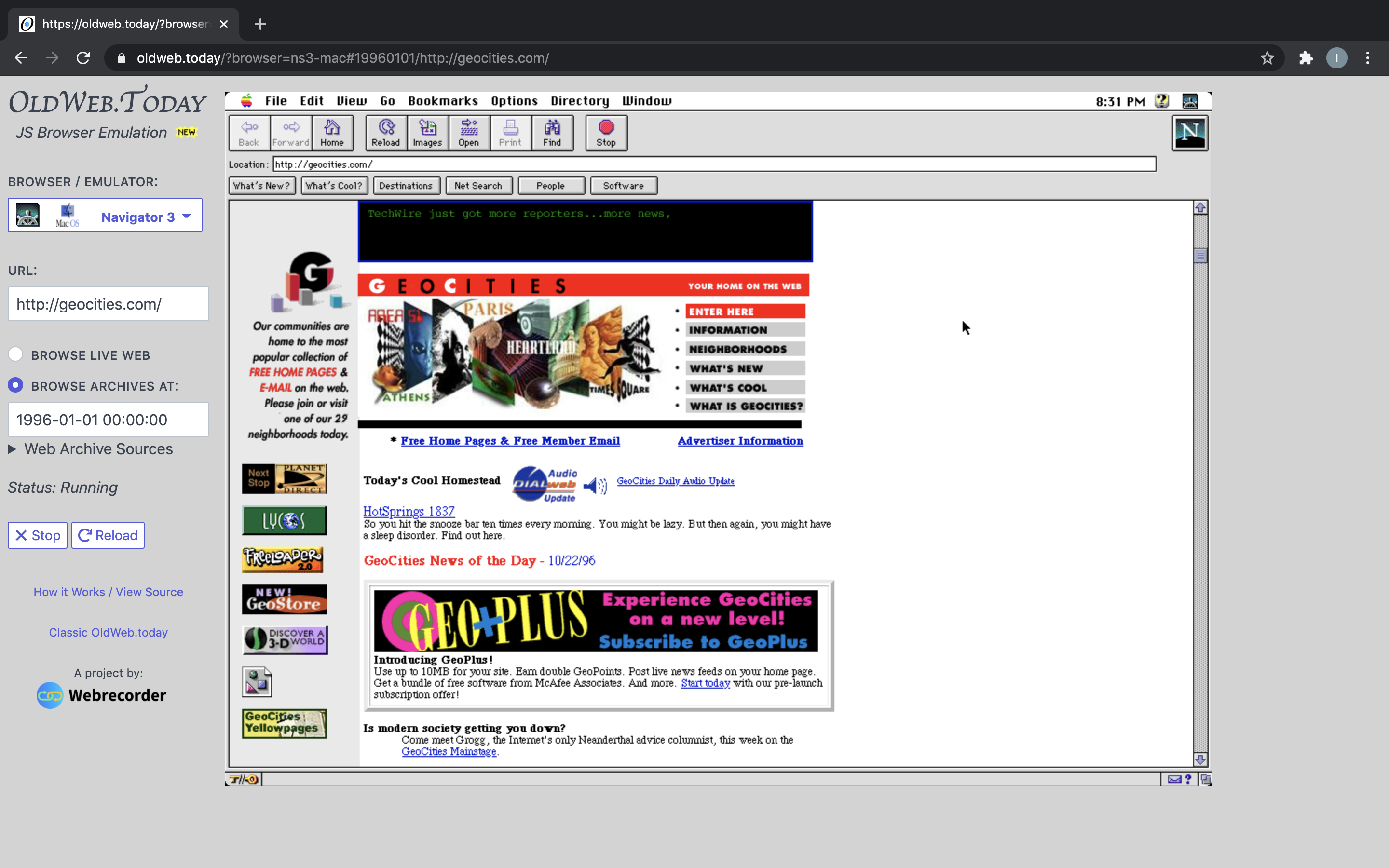
One Terabyte of Kilobyte Age shows screenshots made from rescued GeoCities pages. Olia Lialina and Dragan Espenschied’s project lets you see each whole page before looking for one image.
Copy the original GeoCities address from the screenshot’s caption and look it up in an archive. Keep the caption’s date label. Last modified means when the owner changed the page; archived on means when the archive saved it. A later date can mark the screenshot post. The project explains its date corrections after finding errors in part of the 2009 collection.
For one graphic, note its position (near the title, beside a link or between sections) and what it seems to do.
Route two: find graphics by their job
Choose an object by its job: an under-construction notice, an email invitation, a divider or a welcome sign. Cameron’s World provides a modern collage whose linked fragments lead back into archived GeoCities pages. Follow a link to see how the original page used the graphic.
Compare several objects that perform the same task. A construction marker may use a worker, a sign or a flashing word. An email link may use an envelope or a mailbox. The graphics may have different creators or dates.
The Cameron’s World article explains how the 2015 artwork differs from the older pages it draws on.
Route three: search for the original page
Use Arquivo.pt’s GeoCities search when you remember part of an address, a topic or a phrase from a page. A full web address, or URL, gives the search an exact target. A phrase can help when you remember the words but not the address.
Each result has two addresses. One points to the original page; the other opens its saved copy.
The fuller GeoCities search guide gives you more search methods when the first clue leads to several possible pages.
Inspect the object itself
On the archived page, right-click the graphic and choose Open image in new tab or the equivalent image action in your browser. The address may include an archive name and date before the image’s original URL. Copy that original URL and search for it in the Wayback Machine, the Internet Archive’s collection of saved web pages. Save the GIF file when you want the animation; a screenshot records only the displayed frame.
Then return to the page. Check where the image’s link leads. A button that looks like decoration may open another page; a small envelope may let you email the owner.
Keep the file connected to its page
In the GIF source record, note the image’s address and the page it came from. Add the link to the saved copy, its date label, any creator credit and the rules for sharing it. Follow any link to the creator’s graphics collection. Note the image’s job, such as “email button beside the author’s address”.
To make your own version, use the blinkie or 88 × 31 button guides.