Find an old GeoCities website: three archive routes
Published
If you know the old GeoCities web address, or URL, look for a saved copy in the Wayback Machine. If you remember a username, neighborhood name or phrase, try Arquivo.pt’s GeoCities search. Browse screenshots when you remember how the page looked.
On this page
Use the downloadable search notebook to keep each lead beside its original address, the link to its saved copy and its save date.
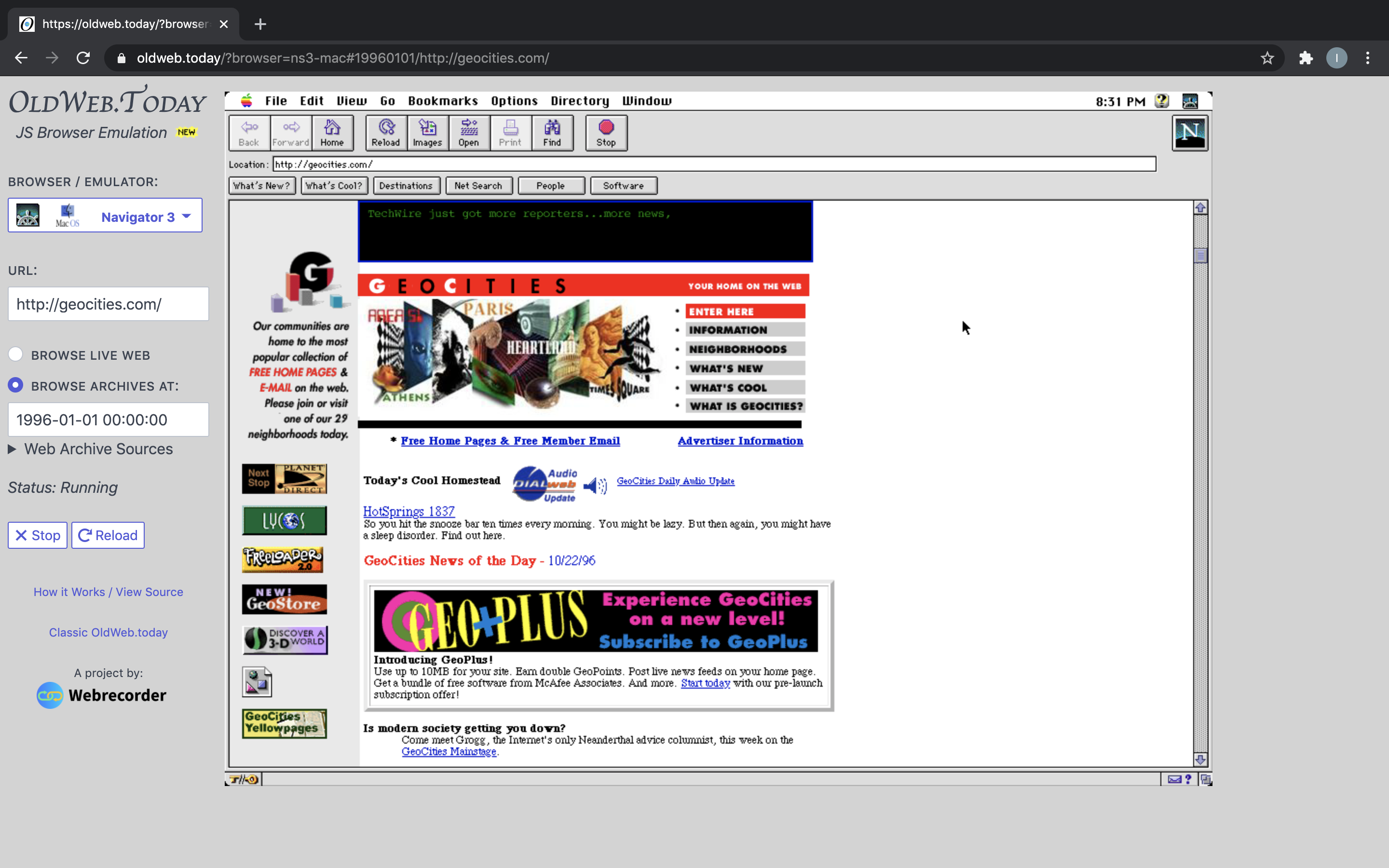
Route one: you have the original address
Paste the complete URL into the Wayback Machine. Include everything after geocities.com to identify the individual site. Open a copy from a year when you used it, then compare another date. The Internet Archive’s search guide explains the calendar, saved dates and address searches.
Try the homepage as well as the precise file. If you remember .../photos.html, remove that filename and look for the site’s main page. Its menu may link to a photo section with a new name. Check the spelling, including capital letters, in any old address you find.
A neighborhood address such as www.geocities.com/Paris/Gallery/2122/ needs every part of that address. Paste it in full. If it finds nothing useful, add index.html at the end and try again. Save the archive’s date and the link to the saved copy.
Route two: you remember the neighborhood or username
Search Arquivo.pt’s GeoCities collection with the clue you have. It accepts a word or web address. Start with a username or a neighborhood name and number. These narrow the search more than a broad subject such as music.
Try three separate searches: the username alone, the username with a remembered subject, and a distinctive phrase from the page. For example, search mooncat, then mooncat astronomy, then mooncat telescope diary. These are sample searches; replace them with your own clues. If the username fails, search its spelling without underscores or numbers.
A saved link from another site can supply the missing address. Look in old bookmarks, email signatures, saved chats and documents you own. Search a friend’s remembered homepage, too: its favorite-links page may carry the exact URL you need.
Route three: you remember the subject
Turn your memory into searchable words. From “a left-handed guitar player’s page with a red amplifier drawing”, search the player’s name, the band name or a phrase from the page first. Keep the red amplifier as a recognition clue when scanning results.
Use visual collections such as One Terabyte of Kilobyte Age to recognize layouts, neighborhoods and subjects. When a page looks promising, record its original URL and search around that address.
Try finding a page that linked to the one you want. It might be a fan club, a list of sites or a webring—a circle of linked websites. Look through its links. You may remember that page more clearly than the lost site’s name.
Follow files as well as pages
Once you find a likely homepage, search for the exact image or subpage you want. An image URL, a filename such as links.html, or a folder named pictures can open another part of the site.
Archive Team’s GeoCities documentation links to other saved collections and explains how to search its lists of web addresses. Use those lists after you have narrowed the address or subject.
If the homepage loads but a picture does not, open the picture in a new tab and find its original address after the archive name and date in the address bar. Copy that full image address into the archive search. Try copies saved before and after your first result. Keep the image with the saved page that shows how its owner used it.
Keep the result useful
Save the link to the archived copy alongside the original address. Add a short description and note when the archive saved the copy. If you find your own work, save the files you need on your computer in a dated folder.
Our general archive guide explains saved dates and how to explore more of a website. For the story behind these rescued pages, read the GeoCities history.