Cameron’s World: explore the 2015 GeoCities web collage
Published
Cameron’s World is Cameron Askin’s 2015 collage of text and GIF images from saved GeoCities pages. GIFs can show short animations. Scroll through the artwork and click its images to find the older pages they came from.
On this page
Cameron Askin describes the project as a web collage drawn from archived GeoCities pages dating from 1994 to 2009. Askin collected and arranged the material. Anthony Hughes wrote code for the page and the computers running it. Robin Hughes made the music. The project’s press record dates its publication to August 2015.
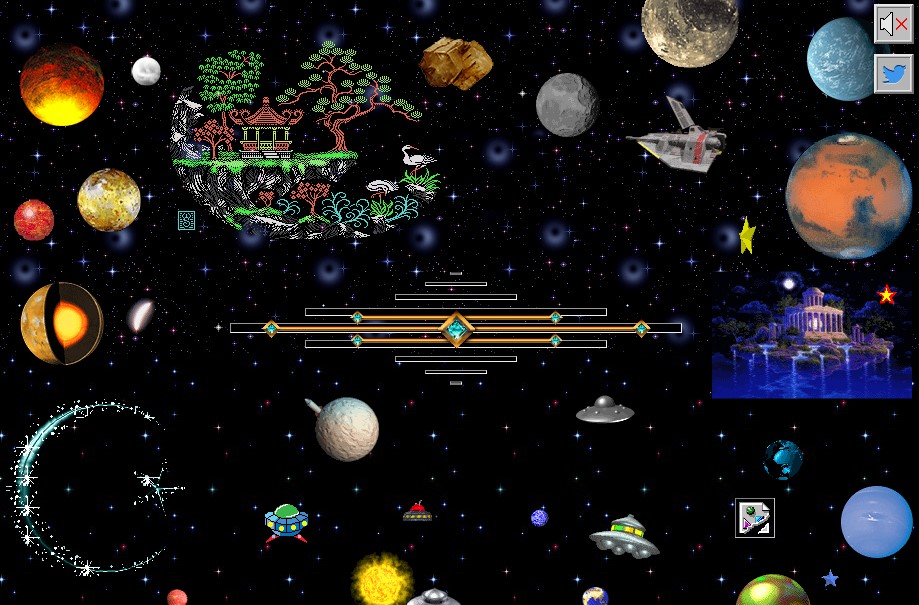
The older pages and the 2015 collage
Each piece has two histories: its use on an older personal page and its new place in Askin’s artwork.
You can enjoy a grouping of images, then ask what each image once did on its own page. It may have marked a section, announced a hobby, invited an email or simply delighted its owner.
Read a collage through relationships
Choose a small area of the work and look at size, color and space. Which piece stands out? Which colors connect nearby pieces? Where is there empty space?
A small object beside a much larger one can suggest a scene. Repetition can turn separate fragments into a pattern. A big difference in size can make a familiar object surprising.
Follow the link back out
Cameron’s World links to saved pages in the Wayback Machine archive. A playful frame called Catscape looks like a browser as you move between the artwork and those pages.
When you follow an image, note the original address and when the archive saved the page. Find the image’s old position: beside a heading, in a collection or in a menu. Read the nearby words to learn what it did. A large image in the collage may once have been a tiny divider or button.
Make a collage from your own material
Open our Three Small Worlds exercise. It contains three original drawings saved as editable SVG image files: a paper boat, a cloud and a seedling. Each illustration links to a short note about why it appears there.
You can change their sizes, order, colors and spacing in one page file. A source record records the creator and role of every drawing.
Start by making the boat the largest object. Then give the cloud more empty space. Finally, move the seedling beside a different neighbor. Save a copy after each change and compare the three versions.
Compare the three saved versions at the same window width. Which object do you notice first, and which link looks most inviting? The fixed viewing size makes the effect of your edits easier to see.
Add links to the collage
Try replacing the notes with your own short stories. A boat might lead to a record of a walk by the water; a cloud might open a weather sketchbook; a seedling might introduce a growing diary. Choose a picture that helps visitors guess what its link opens.
The personal website ideas guide offers subjects you can develop further.
Follow the archive beyond the collage
The GeoCities history explains the website service and how people saved its pages. The GIF archive guide traces individual graphics to their files and original pages. Use the source record above to keep those addresses with any material you study.