90s web design: build a personal site with HTML and CSS
Published
Build a 90s-style website with clear links, small graphics and a repeating background. The starter below supplies Home, Collection and Links pages. It uses HTML to organize the page and CSS to set its colors and layout. The steps show you where to make changes.
On this page
Our example, The Small Things Observatory, collects small observations. Open the finished starter or download its HTML and CSS. It contains three pages, one CSS file used by all three pages and an original paper-boat illustration.
Build the page around an invitation
Write the welcome first. Tell visitors what they have found, what you care about and where they should go next.
Choose three sections that fit your subject. A plant diary might use Home, Growing Notes and Favorite Gardens. A game collection might use Home, Games and Links. Keep the labels short enough that somebody can see where each link goes.
Olia Lialina’s A Vernacular Web examines the meaning of personal links, page backgrounds and other details found on homemade websites. Use that question as a design prompt: what does each object help the owner say or help the visitor do?
Make the structure first
The starter uses one main column. The top section names the site and links the three pages. The main section introduces an object or collection. A short note at the bottom ends the page.
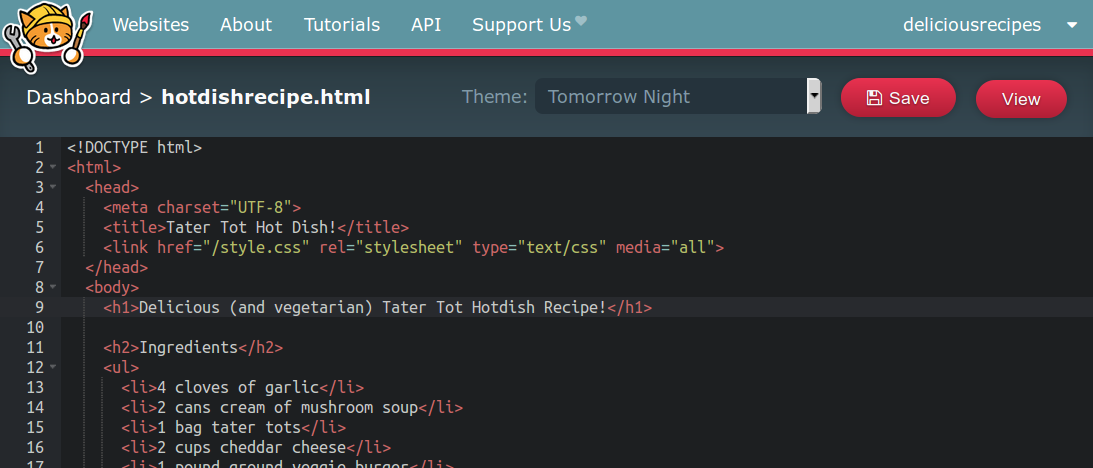
Open index.html in a text editor and replace the sample writing. Then edit collection.html and links.html. Make sure each menu link uses the exact name of the file it opens. MDN’s guide to document structure explains the HTML elements that give those parts meaning.
Give each destination on your links page a sentence explaining why you selected it.
Give the structure a visual identity
The example has a dark teal background, a warm paper-colored panel and a ridged border. Its serif text has small strokes at the ends of the letters. A small badge introduces the site.
In style.css, change body’s background for the outer color, main’s background for the reading panel, and a’s color for links. The starter uses #163b4c, #fff9df and #2539a3 respectively. Changing these three values changes the colors across the whole site.
To add a tile, save your small image as tile.png beside the HTML files and add this rule to style.css:
body { background-image: url("tile.png"); background-repeat: repeat; }The main panel keeps its solid background above the pattern. Check whether the tile’s opposite edges join without a visible line. Then look at the pattern across the whole window.
Add one small handmade detail
Draw an icon for a section, make a link button, or add a short blinkie that says something about the site. Repeat a detail where it helps recognition: the same little star can mark new entries and appear beside the site’s name.
For a moving pattern, the animated-background guide includes a working example with a motion control.
The supplied paper boat demonstrates another approach: make one original image the page’s subject. Its caption explains why it belongs in the collection. Replace it with your own drawing, photograph or small object study.
Make the links easy to use
Open each page from the menu and return to the homepage. Shrink the window until it resembles a phone screen. Make sure the links wrap naturally and the illustration stays inside the panel.
Use the Tab key to move through the links. An outline marks the current link. Add alternative text—a short written description—to images that carry information. If an image is a link, make sure the description explains where it leads.
Read the page aloud once. This catches vague introductions, repeated link labels and captions that describe appearance without explaining purpose.
Publish a first version and leave room to grow
Upload the folder’s files to a service that puts them on the web. Our Neocities guide shows how. Keep a local copy and add a small dated note when you change the collection.
Add a webring or guestbook to help visitors find related sites or leave a message. Keep the menu labels and reading panel clear as you add decoration.
For ready-made variations on the same HTML and CSS approach, compare the three original Neocities templates. The small web guide connects publishing with buttons, guestbooks and webrings.