Webcore Tumblr theme: download and install Window Garden
Published
Window Garden is a free Webcore Tumblr theme with a purple title strip, cream post panels, a sidebar and a grid background. Install its theme.html through Tumblr’s custom HTML editor, then change the colors and window label in the Customizer.
On this page
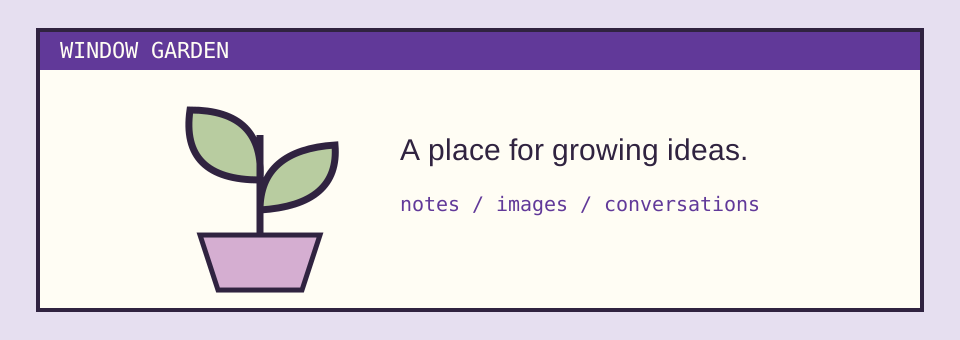
Open the complete preview or download Window Garden. The package includes the installable theme.html, a local preview, the original illustration, setup notes and an MIT license.
What the theme gives you
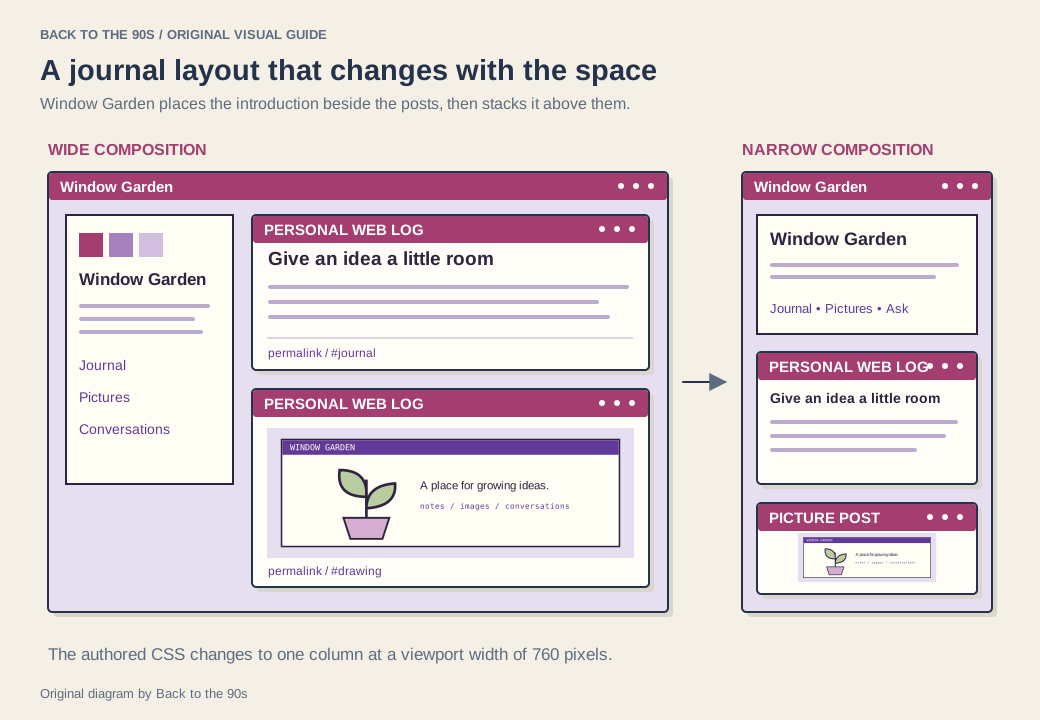
The desktop layout places a compact blog introduction beside a single column of posts. On narrow screens, the introduction moves above the posts. The sidebar draws its title, description and avatar from your blog settings and includes Home, Archive and RSS links. Ask, Submit and custom page links appear through Tumblr’s theme blocks when your blog supplies them.
Five color options control the background, reading surface, text, accent and shadow. A separate Window Label option changes the small title strip above each post. Start with the purple palette or build a green, blue or monochrome version around your own avatar.
The theme uses the familiar window-and-grid vocabulary of Webcore. Its spacious post column gives that vocabulary a practical job: framing the things you publish.
Install through Tumblr’s custom HTML editor
Use Tumblr’s web interface for this part. Its current custom HTML instructions give the following route:
- Save a copy of your current theme’s HTML.
- Open Settings and select the blog you want to change.
- Under Custom theme, enable the custom theme and choose Edit Theme.
- Choose Edit HTML, then paste the contents of the downloaded
theme.htmlfile. - Choose Update Preview and inspect the result.
- Return with the back arrow and choose Save.
The custom theme appears on your blog’s own address, such as yourname.tumblr.com. Tumblr’s dashboard view at tumblr.com/yourname uses a separate presentation, as its customization guide explains. Open the blog address when checking the installed theme.
The download’s preview.html shows the design with original example posts. Tumblr’s own preview then shows how the theme handles your blog’s content. Its Customizer options include a sample-post view, which gives you a useful range of post formats to inspect.
Match the colors to your blog
| Option | Use it for |
|---|---|
| Outside | The grid-backed space around the content |
| Paper | Reading panels and the sidebar |
| Ink | Main text and window borders |
| Accent | Links and the post title strips |
| Shadow | The small offset behind each panel |
| Window Label | The repeated label above posts |
Choose the paper and ink colors first. Read a full paragraph in the preview, then check a link and its keyboard focus outline. Next, choose an accent that separates navigation from body text. Finish with the outer background and shadow.
You can also edit the CSS inside theme.html. The main layout lives in .shell, the reading surface in .post, and the small labels in .title-strip. Change one area at a time so you can see what each rule contributes.
Give every post type a look
The theme includes blocks for legacy text, photo, photoset, quote, link, chat, audio, video and answer posts. Tumblr’s developer guidance explains that custom themes receive Neue Post Format posts through the text-post route. Window Garden renders that content through the text block’s {Body} output and includes styles for responsive media and NPF rows.
During installation, inspect a text post with a heading, a large image, a multi-image post, an answer and a reblog. Open a permalink as well as the main feed. Check that tags, dates, source links and the reblog route remain useful around your content. Follow the older-post link to the next page if your blog has several pages.
To use Window Garden’s layout on phones, open Advanced Options in the Customizer and turn Use default mobile theme off after checking the narrow preview. Tumblr’s customization guide explains that the default mobile theme otherwise overrides the custom design.
Restore a previous theme
To restore a previous theme, use Tumblr’s theme recovery page: select the blog, choose View Backups, pick a version and choose Revert. Tumblr documents this route in its custom HTML guide.
For separate HTML pages, use the Neocities templates; for a social profile, use the SpaceHey layouts.
We release Window Garden’s original code, artwork and sample posts under the MIT license. Keep that license with source copies you share.