Olia Lialina’s My Boyfriend Came Back from the War
Published
A click usually moves us through a website. In Olia Lialina’s My Boyfriend Came Back from the War, clicking also changes the space we read. The window splits into sections. Pieces of the story sit side by side, and each click changes their arrangement.
On this page
Lialina’s own catalog dates the work to 1996. The Rhizome presentation lets you explore the work. Give it a few quiet minutes. Watch how its images, text and separate sections change as you click.
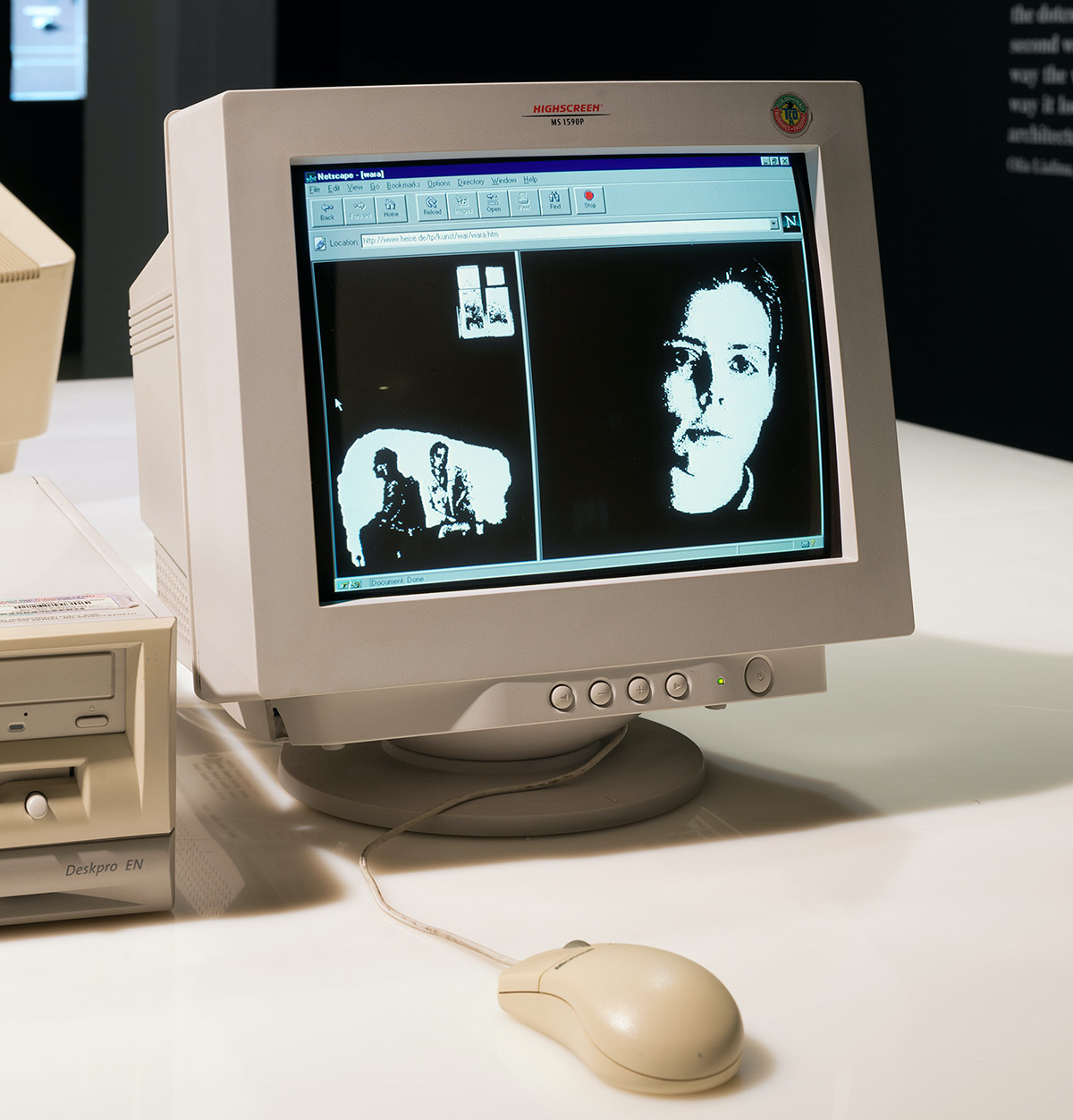
Read a conversation through separate spaces
Garage’s catalog describes a nonlinear story about a couple who reunite after a military conflict. Linked text and GIF pictures sit in frames within frames: separate parts of the browser window. Each holds a piece of the conversation.
The frame boundary gives each fragment a place of its own. Two thoughts can remain visible together, and your eye can move back and forth between them. You can compare the two thoughts before choosing the next link.
Observe the work in its browser setting
Garage’s account notes a preserved setup using Windows 98 and the Netscape browser. Keep that setting alongside the title and artist in your notes: it affects how the frames and controls look and work.
After three successive clicks, record which region changed, which fragments remained and where your eye moved next. Your notes show how the page changes over time. One screenshot shows only one step.
A click performs two jobs
First, clicking moves one part of the story forward. You choose a particular image or phrase and follow the connection it offers. You help set the pace by choosing when to click.
Second, clicking changes the layout. As frames split, the window fills with more separate sections. A small action changes both what you read and where you read it.
You can focus on a fragment and then pull your attention back to the whole window. The meaning of a phrase can shift through its neighbors, its size and the amount of space around it.
Watch the pauses as well as the changes
Spend your first visit following the fragments that attract you. On a second visit, slow down and use the same three-click record on another route. Compare the panels that stay and the ones that split. Your notes should show where different choices produce different neighbors for a phrase.
Also notice how you decide to continue. A phrase may feel like a reply, an image may make you look closer, or a small panel may make you want to finish that part. The work makes those ordinary browsing impulses part of reading.
Think about montage in space
A film shows shots one after another. A page with several frames also puts pieces side by side. You can see them at the same time, then choose which area changes next.
Ask what the neighboring fragments suggest when you see them together. Then ask how your understanding changes after one of those fragments develops.
Open the live work to experience the order, pauses and choices that a still photograph cannot show.
Borrow the storytelling principle for a new work
Write a short exchange between two fictional people who remember the same event differently. Give each person three fragments. Place two fragments beside one another, and let each open a further fragment in its own area.
Choose a layout rule that serves the story. A narrowing panel might express hesitation; two equal panels might encourage the reader to weigh competing memories. Use modern page tools to build that layout, and give every link meaningful text.
Test the work with another reader. Ask which fragments they connected and when they chose to pause. Their route will show how well your layout carries the conversation.
For the wider artistic context, read Net.art. For art made from familiar computer actions, follow JODI’s My%Desktop. Compare who controls the pace in each work: the reader clicking through fragments or the artists performing on a desktop.
Explore related styles in the 90s and 2000s aesthetics collection.