Glitch art: Rosa Menkman, file formats and visual errors
Published
Glitch art uses errors and breaks in digital images. Shifted blocks, broken outlines and changed colors can reveal how software stores and draws a picture. An artist might change the data in a file, use an error they found or draw an effect that looks like one.
On this page
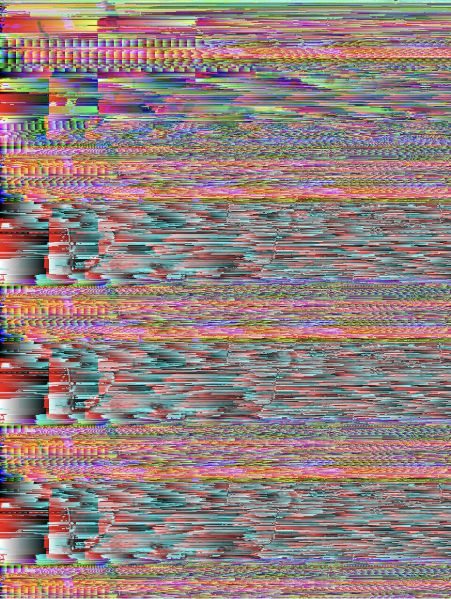
Explore Rosa Menkman’s file-format experiments
In A Vernacular of File Formats, Rosa Menkman starts with one image and saves it in different file formats. She adds similar errors to each version. The results show how each format stores the picture. Her archive includes work from 2010 onwards and later talks.
Using the same picture makes the formats easier to compare.
Menkman’s The Glitch Moment(um), published in 2011, explores both the errors and how people experience them. Her own account of the book describes what happens when technology stops working as expected. That break can change how someone understands the tool.
Separate three useful approaches
Investigate a process. Change how a file stores or alters an image, then inspect the result. Use the same starting image each time. Record the file format and what you changed so you can explain the result.
Work with an encountered error. An unexpected mark or break can become a starting point. Save what you see, note how it happened and study the details that catch your eye. You can use them in a new work or test what caused them.
Construct a glitch-like effect. Move one color layer, rearrange rectangular blocks or break a repeating pattern in your own image. Call it a simulated effect: a change you drew to look like an error. Decide what you want that change to express.
Compare Menkman’s artwork with her account of the process. Appearance alone cannot tell you which tool made an effect.
Look at what survives
You may still recognize a face, a letter or a landscape in a broken image. The parts that remain clear help you see what changed.
Choose one image and identify three things: the recognizable subject, the biggest change and the pattern linking the altered areas. Do the changes strengthen the mood or make the subject seem different?
Repeated horizontal breaks form a pattern. A displaced feature can make a familiar object feel unstable. A cluster of colored blocks can move attention towards the image’s underlying grid.
Make a controlled visual experiment
Create a simple source image with a large letter, a circle and two contrasting colors. Save an untouched master and work with copies.
Make three copies on a 600 × 400 canvas. In the first, select a 20-pixel-high horizontal strip and move it 12 pixels right. In the second, repeat the shift on three strips, alternating left and right. In the third, replace one strip with a row of 20 × 20 squares sampled from the original colors. These are drawn effects. Keeping the source and size the same makes them easy to compare.
Compare the three versions side by side. Record the method in each filename or a short caption. Choose one idea: a break, a repeated pattern, too much happening at once or a partly hidden subject. Keep the changes that make that idea clearer.
Connect the effect to a wider practice
JODI’s My%Desktop offers another kind of digital disruption: performers plan and repeat familiar screen actions. Early Cyber explores designers who made computer tools and pixels visible in their designs.
Explore related styles in the 90s and 2000s aesthetics collection.