Frutiger Eco: nature and technology in 2000s design
Published
Frutiger Eco links technology with a promise to help the planet. Think of a solar-powered phone, a green landscape or a screen that encourages walking. Blue, green and shiny surfaces link the product to nature.
On this page
Samsung Blue Earth and its campaign
Samsung introduced Blue Earth at Mobile World Congress in February 2009. Samsung’s announcement linked the phone to its Blue Earth Dream campaign. It described a solar panel, recycled material and screen features meant to help the planet. The same message appeared on the phone, its packaging and its screen.
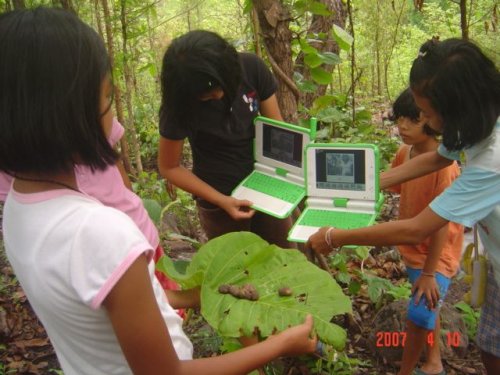
The XO user manual describes a screen that stays readable in sunlight and a case designed for outdoor use.
How Eco relates to Aero
The Frutiger Eco community guide focuses on nature and renewable energy, such as solar power. It pictures technology as a force for good. The Consumer Aesthetics Research Institute’s Aero guide describes the related look: glass, gloss, lettering based on handwriting and nature images.
Aero describes how surfaces look; Eco adds an environmental theme. A glossy blue panel can appear on a music player, a shopping page or a solar-energy presentation. Leaves, landscapes and a clear message about the planet make the last example fit Eco.
Follow the environmental claim through the object
Samsung’s announcement names recycled water-bottle material for Blue Earth’s casing and a rear solar panel. It also describes an Eco mode for settings and an Eco Walk step counter. These claims concern three different things: the phone’s materials, how it charges and what its screen lets you do. A brand can use a leaf to promote its product as better for the planet. The maker’s feature list tells you what it claims to do.
For a comparison exercise, draw one phone twice. First surround it with a sky and reflective bubbles. Then show a solar panel, a charging indicator and a labeled material sample. The first drawing sets a mood; the second shows how the phone claims to help the planet.
Check what the image promises
Begin with the product. Its size and position tell you what the advertisement wants you to notice. A close view invites attention to materials or controls. A smaller object inside a large landscape suggests a relationship with its surroundings.
Next, inspect the natural element. A single leaf works differently from a panoramic field. The leaf can stand for an idea; the field creates a place. Water can introduce reflections and movement. A sun can establish the light source while also connecting the image to energy.
Finally, look for the promised result. Does the picture show an action, such as charging a device, or just suggest that technology and nature belong together?
Give your design a clear subject
For your own drawing, pick one real task. You could check a small solar panel, plan a bicycle route or care for an indoor plant. Draw the object that helps with that task.
Choose one nature symbol and one surface effect. For example, pair a leaf shape with a pale, partly transparent panel. Use the leaf to show the subject and the panel to hold the information. Keep the text dark so it stays clear against bright colors.
Label the action or a value you have measured so readers can connect the nature symbol to what the screen lets them do.
Compare the object with the message
Return to Samsung’s Blue Earth announcement and make three columns: visible symbol, named feature and promised benefit. Put the leaf or blue casing in the first, the rear solar panel in the second, and Samsung’s explanation of its purpose in the third.
Continue with Frutiger Aero for glossy controls or Clear Tech for partly see-through cases.
Explore related styles in the 90s and 2000s aesthetics collection.