Frutiger Aero: the glossy 2000s aesthetic explained
Published
Frutiger Aero combines glossy controls, partly transparent panels and nature photos: blue skies, water and green landscapes. These effects make software look touchable.
On this page
When did Frutiger Aero appear?
The Consumer Aesthetics Research Institute groups these features under Frutiger Aero. It lists glossy surfaces, clear materials, lettering based on handwriting and nature photos. Its main period ran from the mid-2000s into the early 2010s. The name joins the font designer Adrian Frutiger with Microsoft’s Aero software design.
Aqua, Windows Aero and the iPod touch
Apple’s Aqua interface gives the story an early landmark. In its January 2000 announcement, Apple described glowing, partly transparent controls. Highlights make a button look curved, while a partly transparent window lets the desktop show through.
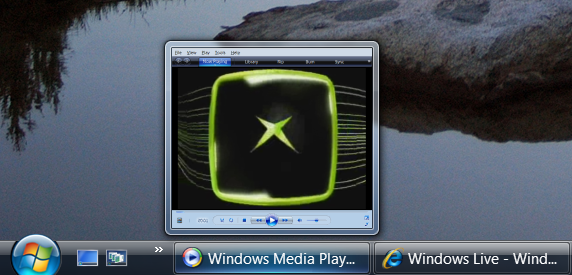
Microsoft made glass central to Windows Aero. Its February 2006 Vista announcement describes transparent glass, reflections and animation. Examine a window’s edge and how it stands out from the background. Watch what moves when you open or close it.
The iPod touch brings similar effects to a handheld device. The University of Waterloo Computer Museum’s Aero exhibition shows one. It compares the shiny case with the design on its screen.
Tell Aero apart from its neighbors
Aqua names an Apple software design; Aero names a Microsoft one. The later name Frutiger Aero groups similar looks across products and adverts. A glossy object from 2000 can show an early influence; the style became widespread later.
| Reference | Examine first | Useful comparison |
|---|---|---|
| Digital Y2K | Colored plastic, chrome and unusual object shapes | The machine presents itself as an exciting new object |
| Frutiger Aero | Glass, soft reflections, water, grass and open sky | Software looks polished and welcoming |
| Frutiger Metro | Flat outlines and sweeping colored curves | Curves and color give the image movement |
Try the original Aero wallpapers behind your desktop icons. Check which light and dark areas make the icons stand out.
Read the surface in layers
Start with a blue and green background. Keep the horizon low to leave plenty of sky. Put a bright green shape near the front if you want it to stand out.
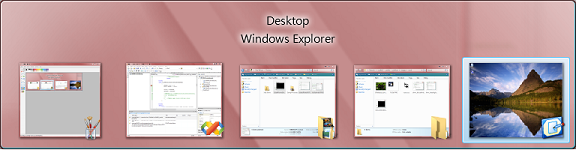
Next, add a translucent panel so the landscape remains visible. Give the panel a clear edge, then use a stronger color for the button so readers can find the action.
Finally, place the light. A narrow highlight near the top suggests a polished curve; a soft shadow below suggests distance from the background. Keep both effects consistent. The light should come from the same direction on every object.
Leave plenty of space around labels and choose letters that stay clear over changing backgrounds. Put longer text on a plain background.
Choose the part you want to borrow
For a wallpaper, leave plenty of sky and a clear area behind desktop icons. Group a few reflective shapes elsewhere. For a button, use a clear label and border. Make it change visibly when someone points at it or presses it. For an article illustration, make one surface effect stand out so readers can see how it works.
Frutiger Eco uses nature images to suggest that technology can help the planet. Compare digital Y2K for partly clear cases and metal-like shapes.
Make a small Aero button
Try this drawing recipe on a 320 × 180 canvas:
- Draw a blue rounded rectangle, 180 × 48 pixels, in the center.
- Add a pale blue shape across its upper half. Keep it inside the rounded outline.
- Draw a thin white top edge and a darker blue bottom edge.
- Place one soft shadow below the button, following the same light direction.
- Add a short dark label, such as “Explore”, and inspect the result at 100% size.
Test the button against pale gray, dark blue and a photograph. If its boundary disappears, strengthen the edge; if the label disappears, put a steadier color behind the letters. For a working button, also draw a darker version to show when someone presses it.
Explore related styles in the 90s and 2000s aesthetics collection.