Emoticon history: from the 1982 smiley to chat graphics
Published
The typed smiley :-) appears in Scott Fahlman’s Carnegie Mellon post on 19 September 1982. He proposed it as a mark for jokes in text discussions. Chat programs later turned typed faces into small pictures, including moving emoticons in MSN Messenger 6.
On this page
In his own account, Fahlman describes the practical problem: readers sometimes took a joke seriously, and the resulting replies overwhelmed the discussion. Typed marks could hint that a line was a joke, even on a text-only screen.
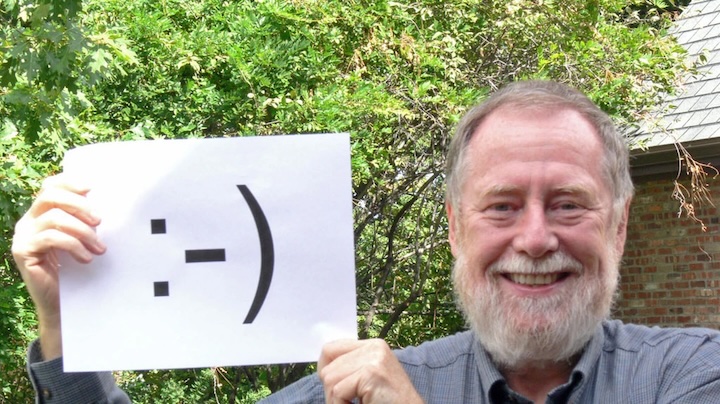
1982: give the reader a tone cue
The face fitted beside a sentence and used little space. Its meaning depended on the words around it.
Try this original sentence in three forms:
- “Excellent timing.”
- “Excellent timing. :-)”
- “Excellent timing. ;-)”
The words stay the same. The added mark suggests plain thanks, a friendly reply or a shared joke. Who wrote it and what came before still affect its meaning.
Fahlman originally proposed :-( for serious messages, while :-) marked jokes. He later wrote that the frown came to mean unhappiness. Its meaning had changed since the 1982 proposal.
1995: the convention enters netiquette
The 1995 Netiquette Guidelines, published as RFC 1855, include smileys as a way to show tone online.
A friend may understand your joke from one playful mark. A stranger may need clearer words as well. Ask whether the reader has enough clues to understand you.
For a practical exercise, write a short invitation in plain text. Add one face, then remove it and revise the words until they carry a similar tone.
2003: chat programs add moving pictures
Microsoft’s Messenger 6 announcement describes a wider choice of pictures, including animated faces and a birthday cake with flickering candles. Users could also customize their display pictures, backgrounds and emoticons.
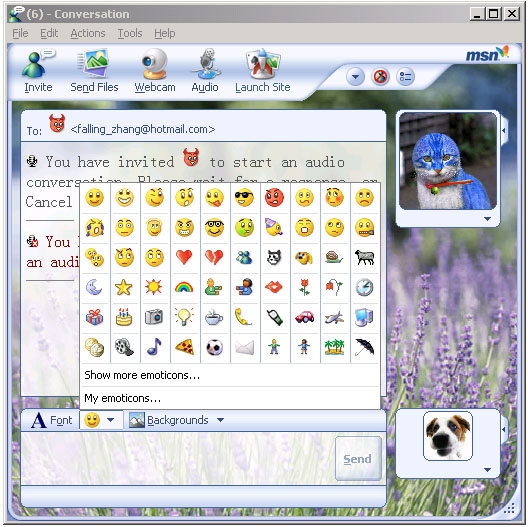
You choose a picture and the program draws or moves it. A blink or changing face adds timing to a line that would otherwise stay still.
A typed face uses keyboard marks. A drawn face depends on the program’s picture, its size and the space around it. Two programs may show the same feeling with different pictures.
Typed faces and graphical emoticons
| Form | What carries the expression | Example |
|---|---|---|
| Typed emoticon | Visible keyboard characters | :-) |
| Graphical emoticon | The chat program’s picture | A smiling face selected from its panel |
| Animated emoticon | The moving pictures and their timing | Messenger 6’s blinking or crying faces |
The same typed characters can remain text in one application and turn into an image in another. A screenshot of the surrounding message shows what the reader actually saw.
Preserve the message and its setting
When studying a chat image, keep the program’s name, version, date and the full message around it.
Fahlman describes a search through old backup tapes that found the original discussion in 2002. The full conversation showed a group trying to find a way to mark jokes in writing.
Read the symbols in their setting
Use the old internet slang reference to decode common faces and abbreviations. MSN Messenger’s history shows how chat programs used these pictures; the guide to AIM away messages shows another way a short piece of text carried a personal voice.