90s chat apps compared: AIM, MSN Messenger, ICQ and IRC
Published
AIM and MSN Messenger started with lists of friends. ICQ used account numbers alongside those lists. IRC brought people into shared rooms called channels. The first three services have closed. Independent groups now run new ones for those old programs. IRC is still in use.
On this page
Compare the starting points
| System | Identity to notice | First place to look | Useful study question |
|---|---|---|---|
| AIM | Screen name | Buddy list | How do you see who is online and start a chat? |
| MSN Messenger | Account plus chosen name and picture | Contact list and conversation window | How do pictures and other choices make an exchange personal? |
| ICQ | Account number (UIN) plus nickname | Contact list | How do the account address and visible name work together? |
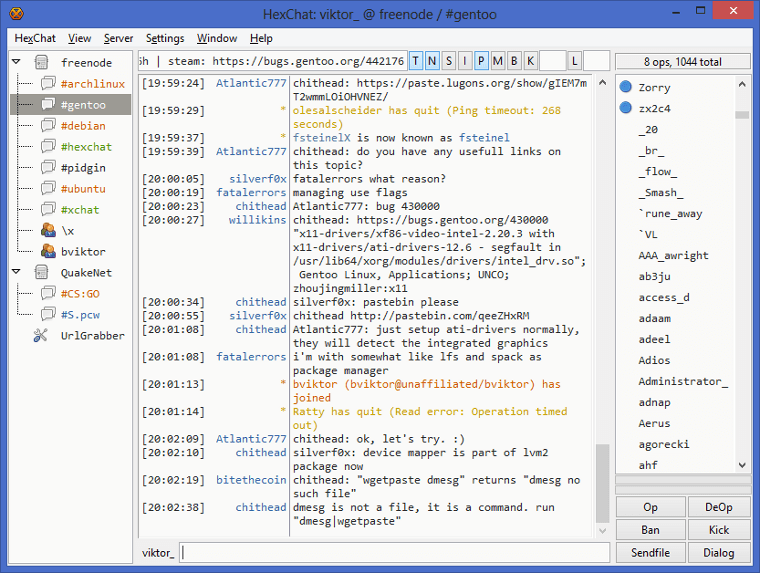
| IRC | Nickname on a chosen network | Chat room | How does a shared room organize several speakers? |
The AIM farewell preserved by WIRED recalls screen names and buddy lists. Microsoft’s 1999 MSN launch describes seeing when friends were online. Adium’s ICQ guide explains the account numbers. The IRC rules define nicknames, rooms and messages.
Put the systems on the right timeline
IRC began in 1988. ICQ followed in 1996, AIM in 1997, and MSN Messenger in July 1999. Messenger added pictures, backgrounds and moving face icons, or emoticons, in later versions. These included Messenger 6 in 2003.
Name both the version and service when comparing chat programs. “MSN Messenger 6 on Escargot” names an old program and the new service running it. “MSN is back” leaves out those details.
AIM: screen names and away messages
Friends found you by your chosen screen name on AIM. The buddy list showed who was online. An away message left them a short note while you were gone. Read AIM’s history or try the original away-message examples.
MSN Messenger: display pictures and shared activities
The first MSN program showed friends and whether they were online. Microsoft’s Messenger 6 preview listed display pictures, backgrounds, moving emoticons and games. The MSN guide keeps those versions in order and shows how to set up Escargot.
ICQ: numeric accounts and message alerts
ICQ used a UIN account number. A nickname let friends recognize you in their lists. The “Uh-oh” sound alerted you to a new message while you looked at another window. The ICQ history follows the product through its 2024 closure and NINA’s revival.
IRC: a channel on a named network
An IRC invitation must name the network (the chat service) and channel (the room). Two services can have rooms with the same name. The IRC guide gives the commands to join, speak privately and leave.
Which route works today?
| Historical system | Current starting point | Account or connection |
|---|---|---|
| AIM | NINA’s AIM guide | A NINA account and an AIM program that works with it; the guide also offers a version for a modern browser. |
| MSN / Windows Live Messenger | Escargot | An Escargot account and a chat program set up for it. |
| ICQ | NINA’s ICQ guide | NINA’s separate test service; follow the setup for your program’s version. |
| IRC | Libera.Chat | Connect to the chosen network, then join its channel. |
A revival starts a new account on its own service. To read your old chats, use copies you saved yourself.