Neopets dailies: checklist and current Quest Log guide
Published
Open the Quest Log before collecting bank interest or an omelette, because either action can match a daily task. Finish at the full Quest Log page to inspect daily rewards and weekly progress.
On this page
Open the daily checklist or download the complete pack. Choose the calendar date shown by Neopets and tick each step yourself. The checklist saves ticks in your browser for that date and includes a print view, a Markdown copy and an editable activity table.
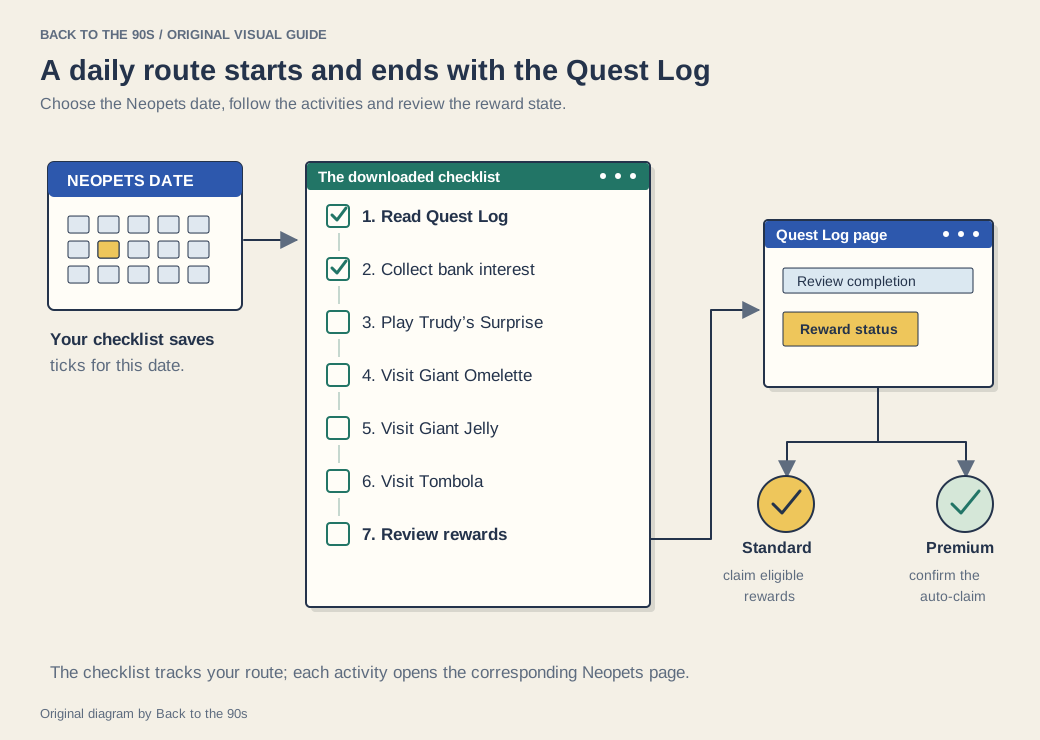
Start with the Quest Log, follow the seven activities and finish by checking the reward state for your account.
A practical daily route
| Step | Activity | What to do |
|---|---|---|
| 1 | Quest Log | Read today’s tasks before planning the route |
| 2 | National Neopian Bank | Collect the interest shown, then manage your balance |
| 3 | Trudy’s Surprise | Play and inspect the streak display |
| 4 | Giant Omelette | Collect the day’s available portion |
| 5 | Giant Jelly | Collect the day’s available portion |
| 6 | Tombola | Visit during its opening periods |
| 7 | Quest Log | Review daily reward status and weekly progress |
The food and Tombola stops give the route a few familiar places to visit. The Neopian Times’ player-written daily guide by polonius describes their once-per-day rhythm. Read each activity’s message when you arrive; a depleted food supply or a closed Tombola gives you a reason to return later in the session.
Read the Quest Log before completing activities
Neopets updated the Quest Log on 26 October 2026. The update added more quest types, including collecting interest and grabbing an omelette, and introduced a sidebar for following progress.
Follow the specific requirement shown on your account. After a relevant action, check that the log reflects it.
The sidebar serves as a progress view. The official sidebar FAQ directs reward handling back to the Quest Log page. Keep that full page as the final stop in your route.
Use your main account for Quest Log participation, following Neopets’ current account guidance.
Finish with reward status
A finished activity and a collected reward occupy different steps in the flow. Open the full Quest Log after the route and inspect each task, the daily reward area and your weekly progress.
The October update introduced automatic daily and weekly prize claims for Premium members. Eligible prizes move through that automatic route once the account meets the conditions. The support page notes that a linked NeoPass account can affect the timing, so inspect the reward state before treating a completed checklist box as proof of delivery. On an account using manual claims, use the available claim controls after completing the requirements.
Tick Review daily and weekly rewards after the appropriate claim or delivery check.
Use the Neopets calendar day
Neopets’ Trudy’s Surprise support page places its daily reset at midnight NST. Use the date shown by Neopets when you choose the checklist’s date, especially if your local evening falls on a different site day.
The checklist keeps each chosen date separately. Change the date to see a different day’s ticks, and use Clear ticks for this date when you want to reset that record. Print the page if you prefer a paper route beside your computer.
Keep the checklist in sync
Tick a box after the site confirms the action, then use the Quest Log’s own progress and reward state for the final review. To change the routine, edit the activity rows in the downloaded CSV or Markdown copy; keep Quest Log at the beginning and end.
The returning-player guide covers the rest of the current world. For another kind of game session, use the 90s computer games guide.