Clippy history: Office 97, its creator and the revival
Published
Clippy was a paperclip with a face, shown beside an Office document. The drawing gave the help a friendly look; the software chose when it appeared. Both its face and its timing shaped whether it charmed users or interrupted their work.
On this page
Office 97 reached shops on 16 January 1997. Microsoft’s launch announcement describes the Office Assistant as an animated help system. Users could ask questions in their own words and get tips across the Office apps.
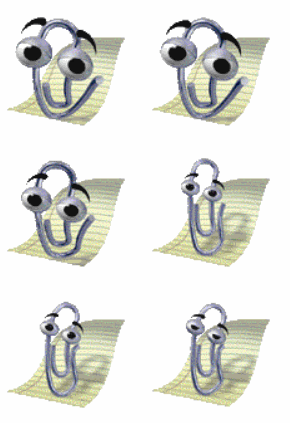
Who drew Clippy?
Kevan Atteberry’s biography names him as Clippy’s artist. Two large eyes and strong eyebrows turn the paperclip’s loop into a face. Its wire body can bend into a gesture and still look like a paperclip.
A paperclip belongs with documents. It needs little explanation beside a word processor.
Place the launch dates correctly
Microsoft sent Office 97 to manufacturing on 19 November 1996. The January 1997 announcement marks when it reached shops. These were two stages of the same release.
Why timing changes the character
Even a friendly character can interrupt at the wrong moment. Useful help appears when you need it, gives you a clear action and lets you return easily to the document.
Compare two moments: you ask how to save a file, or the app guesses you need help while you type. The same advice feels different when you have asked for it.
Use the help-prompt study sheet to note the situation, request, advice, action and close button. Try “Choose a folder for this note” with a Choose folder button. Would a gesture make the step clearer or distract from it?
The 2021 paperclip emoji
In July 2021, Microsoft Design replaced its standard paperclip emoji with Clippy. Its updated article says Windows 11 uses a flat, two-dimensional version.
The sender chooses when to use the emoji and what to say around it. The old Office Assistant chose when to offer help during another task.
When comparing images, check whether Clippy is helping in Office, appearing as an emoji or shown in a new drawing. Each has a different use.
Explore related desktop characters
Microsoft Bob built help into a room full of household tasks. Screenmates focused on pets that moved around the desktop.